Get multiple layers of protection for your organization with Defendify.
Free Cybersecurity Tools
Free award-winning cybersecurity tools to get you started
Defendify offers all-in-one, multi-layered protection that makes robust cybersecurity easier and more accessible.
Frequently Asked Questions
Find answers to FAQs posed to Defendify about cybersecurity.
Dive deep into cybersecurity topics, tips, modules, and more.
We deliver streamlined, All-In-One Cybersecurity® that provides organizations with comprehensive, ongoing protection.
We make stronger cybersecurity possible for all organizations.
Automatically monitor public-facing websites and web apps for malware, vulnerabilities, and other risks to security and reputation.
Be aware if your website contains security gaps or has been exploited or blacklisted.
Surface vulnerabilities that can impact user experience and search engine rankings.
Avoid brand damage resulting from embedded malware and website defacement.
Be aware if your website contains security gaps or has been exploited or blacklisted.
Surface vulnerabilities that can impact user experience and search engine rankings.
Avoid brand damage resulting from embedded malware and website defacement.
Automatic scans look for potential threats on your websites including compromised hosting and IP information, spam and injected malware, outdated software or vulnerable plug-ins and extensions, server errors, blacklist status, and more. Additionally, blocklisting helps identify if your website domain(s) have been flagged as malicious, while whitelisting works to ensure optimal scanning performance.
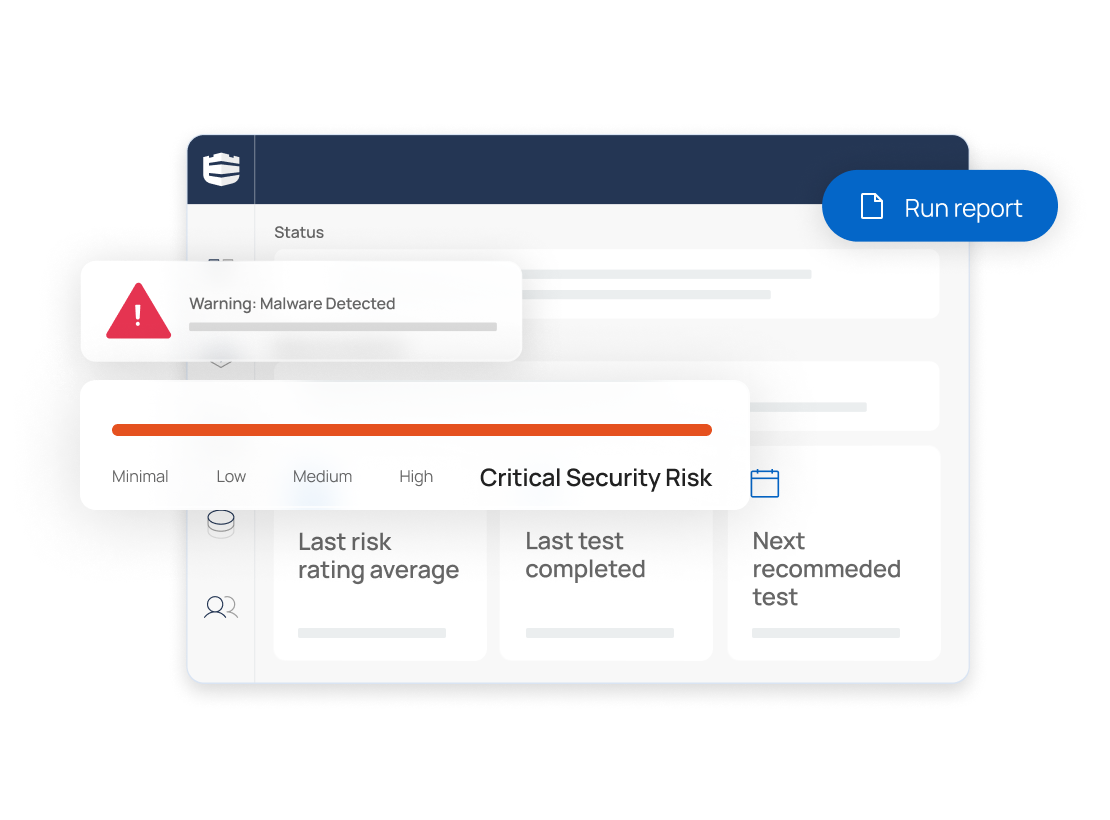
Automated reporting presents website risk scoring, vulnerabilities found, and recommendations for improvement.
Simply add the website domain(s) you’d like scanned and get automated monthly reports (ad hoc reporting is also available). Whitelist Defendify’s website scanner to ensure scans are completed without blocking from security devices (e.g. firewall, WAF). Website scanning is recommended to run regularly with a minimum cadence of monthly reporting.
Watch the video to learn more about the Defendify Website Security Scanner.
If you have Website Scanning inside your subscription, activating it is very simple. It helps if you’ve already uploaded the domain into the Defendify website. If this stage has already been done, you’ll find that your Website Scanning is already unlocked and activated.
In the vast majority of cases, there is no additional work required. You’ll be able to see Key Insights already populated, and you’ll already be able to see findings through the Findings tab.
Now, if after, let’s say, half an hour, you’re still not seeing any findings, you may be required to allowlist. You can do this by clicking on the Allowlisting tab. Full instructions and IPs to be allowlisted are there for you to see.
After allowlisting, you’ll be able to go back to the Overview or the Findings, and you should start to see data populated in those areas.
Reports are generated automatically on a monthly basis, and you can find those under Reports. You can also find them here under Reports, as well as on the main dashboard. Thank you.
This is just one of the modules under our Layered Security approach that work together to give you holistic protection.
Some of your questions might have already been answered. Read them here.
A website security scanner is a tool that can be deployed to scan your website domain(s) for a variety of potential security gaps including:
A website security scanner is not the same as a vulnerability scanner. A website security scanner is a good fit for most general-use marketing websites, whereas a vulnerability scanner is better suited to things like web applications.
Assess, scan, and stay alert with nothing to install or pay for.
Chief Security Officer
Information Technology and Services
Executive Sponsor
Construction
Administrator
Mechanical/Industrial Engineering
Administrator
Management Consulting
Internal Consultant
Semiconductors
Administrator
Computer & Network Security
Administrator
Information Technology and Services
Administrator
Information Technology and Services
Defend your business with All-In-One Cybersecurity®.
Learn more about Defendify’s three key layers and All-In-One Cybersecurity®.
Schedule time to talk to a cybersecurity expert to discuss your needs.
See how Defendify’s platform, modules, and expertise work to improve security posture.
| Cookie | Duration | Description |
|---|---|---|
| cookielawinfo-checkbox-analytics | 11 months | This cookie is set by GDPR Cookie Consent plugin. The cookie is used to store the user consent for the cookies in the category "Analytics". |
| cookielawinfo-checkbox-functional | 11 months | The cookie is set by GDPR cookie consent to record the user consent for the cookies in the category "Functional". |
| cookielawinfo-checkbox-necessary | 11 months | This cookie is set by GDPR Cookie Consent plugin. The cookies is used to store the user consent for the cookies in the category "Necessary". |
| cookielawinfo-checkbox-others | 11 months | This cookie is set by GDPR Cookie Consent plugin. The cookie is used to store the user consent for the cookies in the category "Other. |
| cookielawinfo-checkbox-performance | 11 months | This cookie is set by GDPR Cookie Consent plugin. The cookie is used to store the user consent for the cookies in the category "Performance". |
| viewed_cookie_policy | 11 months | The cookie is set by the GDPR Cookie Consent plugin and is used to store whether or not user has consented to the use of cookies. It does not store any personal data. |